

No Items In Cart
Your cart
1

Heading
Heading
Xiomi | Charcoal Grey | 128GB
New Plan: 016-1123-114
New Plan: 016-1123-114
Go to Cart


Your entertainment starts here
Subscribe to your favourite streaming platforms with StreamMORE, and enjoy easy payment through your mobile bill.

One Subscription

One Seamless Bill

One App to Manage


Your world of endless entertainment, with Disney+
Stream Disney, Pixar, MARVEL, Star Wars, National Geographic, and Hulu — featuring award-winning series, Korean dramas, and exclusive Disney+ Originals
StreamMORE Add-ons
Premium access
RM37.90/mth
5GB high-speed Internet included
Subscribe now
Valid for 1 month, no contract required
Basic access
RM22.90/mth
5GB high-speed Internet included
Subscribe now
Valid for 1 month, no contract required


Trending Asian Series & Originals
Discover popular Chinese dramas, anime, and exclusive originals, with fresh episodes and a wide range of genres.
StreamMORE Add-ons
Standard VIP access
RM14.90/mth
5GB high-speed Internet included
Subscribe now
Valid for 1 month, no contract required

Award-Winning Originals & Blockbuster Hits
From Amazon Originals to the latest Hollywood releases, enjoy top series, movies, and live sports in stunning quality.
StreamMORE Add-ons


Live Sports & Local Entertainment
Catch live matches, sports events, and local shows, with on-demand highlights and entertainment on the go.
StreamMORE Add-ons
Daily access
RM11.90/day
15GB high-speed Internet included
Subscribe now
Valid for 1 month, no contract required
Entertainment access
RM11.90/mth
5GB high-speed Internet included
Subscribe now
Valid for 1 month, no contract required
Entertainment+ access
RM25.90/mth
5GB high-speed Internet included
Subscribe now
Valid for 1 month, no contract required
Sports & Entertainment access
RM27.90/mth
5GB high-speed Internet included
Subscribe now
Valid for 1 month, no contract required
Premium access
RM44.90/mth
5GB high-speed Internet included
Subscribe now
Valid for 1 month, no contract required


Live TV, Sports & Indonesian Content
Watch live channels, sports, and popular Indonesian shows, all in one platform with a wide selection of content.
StreamMORE Add-ons
Premium access
RM14.90/mth
5GB high-speed Internet included
Subscribe now
Valid for 1 month, no contract required


K-Dramas, Variety & Asian Hits
Stream the latest Korean dramas, variety shows, and Asian series with fast updates and subtitles, anytime you want.
StreamMORE Add-ons
Premium access
RM9.90/mth
5GB high-speed Internet included
Subscribe now
Valid for 1 month, no contract required
Frequently Asked Questions
Your world of endless entertainment, with Disney+
Stream Disney, Pixar, MARVEL, Star Wars, National Geographic, and Hulu — featuring award-winning series, Korean dramas, and exclusive Disney+ Originals
StreamMORE Add-ons
Premium access
RM37.90/mth
5GB high-speed Internet included
Subscribe now
Valid for 1 month, no contract required
Basic access
RM22.90/mth
5GB high-speed Internet included
Subscribe now
Valid for 1 month, no contract required
What is the access available for iQIYI with CelcomDigi Business Postpaid?
How do I subscribe to StreamMORE iQIYI Add-Ons?
I did not receive the OTP on my mobile phone to activate iQIYI. What should I do?
I subscribed to StreamMORE iQIYI Add-Ons. When will the pass expire?
I subscribed to StreamMORE iQIYI Add-Ons. Can I cancel the subscription at any time?
I have an existing iQIYI direct billed subscription purchased via various payment channels (operator billing/ banking card). Can I still subscribe to CelcomDigi iQIYI Bundle Pass using the same mobile number?
What is the access available for Prime Video with CelcomDigi Biz Postpaid 5G?
How do I subscribe to StreamMORE Prime Video Add-Ons?
I did not receive the OTP on my mobile phone to activate Prime Video. What should I do?
I subscribed to StreamMORE Prime Video Add-Ons. Can I cancel the subscription at any time?
I have an existing Prime Video direct billed subscription purchased via other payment channels (operator billing/ banking card). Can I still subscribe to StreamMORE Prime Video Add-Ons using the same mobile number?
I subscribed to StreamMORE Prime Video Add-Ons. When will the pass expire?
What are the accesses available for sooka with CelcomDigi Biz Postpaid 5G?
How to subscribe and activate the StreamMORE sooka Add-Ons?
I did not receive the OTP on my mobile phone to activate sooka. What should I do?
I am already a sooka subscriber. Can I activate the StreamMORE sooka Add-Ons using the same account?
I subscribed to StreamMORE sooka Add-Ons. When will the pass expire?
I subscribed to StreamMORE sooka Add-Ons. Can I cancel the subscription at any time?
What is the access available for Vision+ with CelcomDigi Biz Postpaid 5G?
How do I subscribe to StreamMORE Vision+ Premium Add-Ons?
Upon successful subscription, how do I log in to Vision+?
Can I cancel my StreamMORE Vision+ Premium Add-Ons at any time?
I have an existing Vision+ Premium direct billed subscription purchased via various payment channels (operator billing/ banking card). Can I still subscribe to StreamMORE Vision+ Premium Add-Ons using the same mobile number?
I subscribed to StreamMORE Vision+ Premium Add-Ons. When will the subscription auto-renew?
What is the access available for VIU Premium?
How do I subscribe to StreamMore Viu Add-Ons?
I did not receive the OTP on my mobile phone to activate VIU. What should I do?
I subscribed to StreamMore Viu Add-Ons. When will the bundle expire?
Can I use my StreamMore Viu Add-Ons subscription on other devices?
I have an existing VIU direct billing subscription purchased via other payment channels (Operator Billing / Banking Card). Can I still subscribe to a CelcomDigi VIU Bundle pass using the same mobile number?
Ready to stream smarter?
Get started in just a few simple steps via the CelcomDigi app
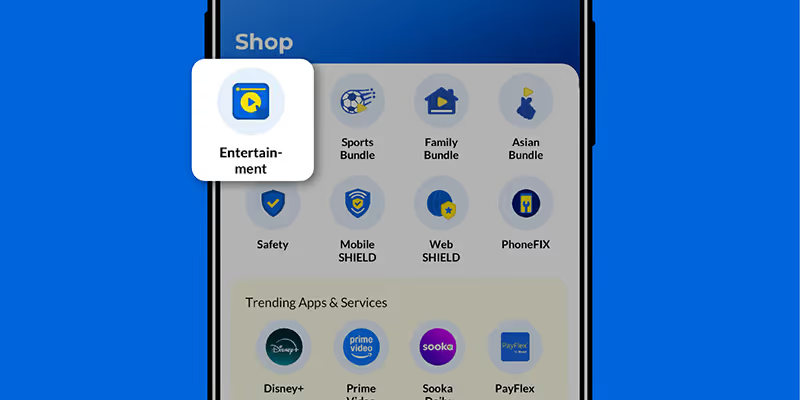
Step 1
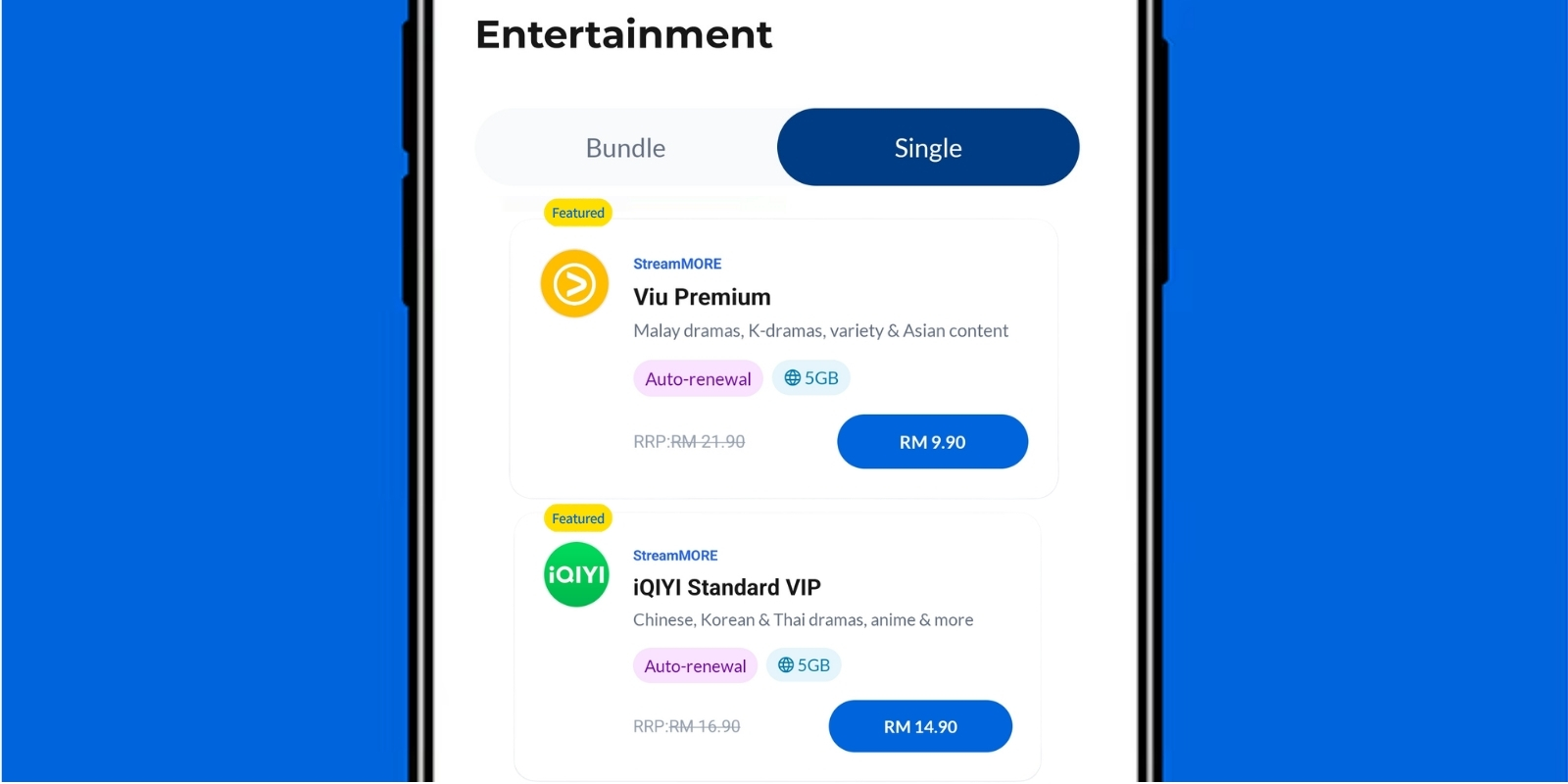
Step 2
Choose your preferred singles pass.
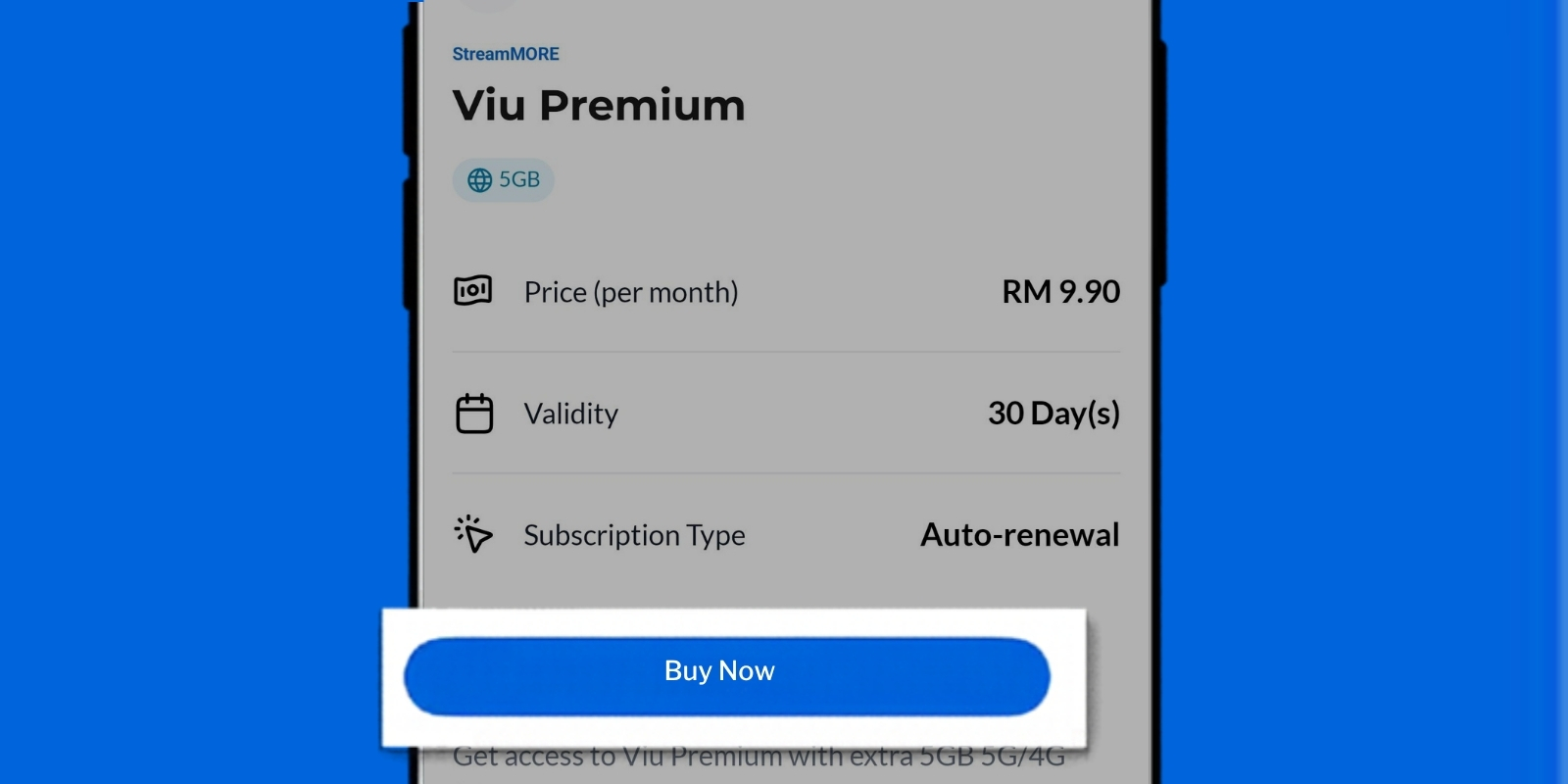
Step 3
Tap 'Proceed to Pay' to complete your purchase.
You will recieve a notification to activate your streaming access.
You will recieve a notification to activate your streaming access.